Canva makes professional design tools free for iPad users
The move keeps a one-time payment model for core features while adding optional AI tools behind a monthly subscription.
By Alessia Diallo ·
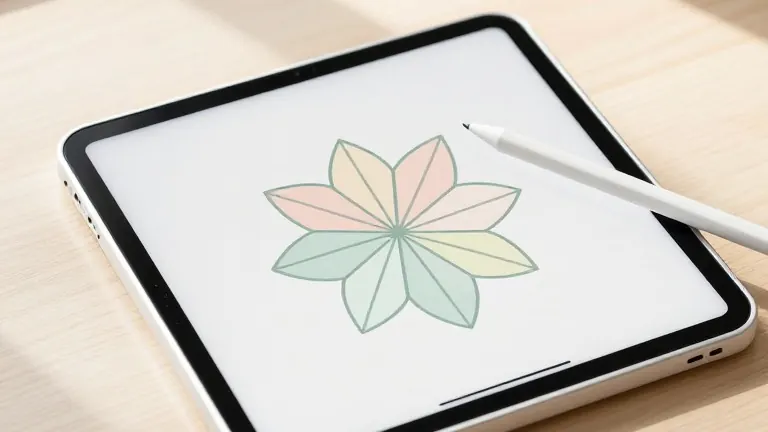
Individuals can now use a full set of professional design tools on their iPads without paying a cent for the core software. Canva released Affinity for iPad on Monday, giving users access to vector graphics, photo editing, illustration, and page layout capabilities at no cost.
The new application includes a dedicated Sketch Studio built for freehand drawing. It offers specific tools for masking and automatically converts rough sketches into clean geometric shapes. The interface is optimized for touchscreens and supports Apple Pencil Pro features. These include pressure sensitivity, tilt, barrel roll, squeeze, hover, and natural gestures.
Neil Ladkin, head of product design at Affinity, stated that the team made every development decision based on their own use of the device. He noted that the developers focus on details like how the Apple Pencil responds and where tools are placed. He added that the app was created by people who understand the frustration of rotating a canvas repeatedly to get a line right.
The app saves Sketch, vector design, photo editing, and layout projects into a single .af file format. This reduces the need to export or convert files between different programs. The software remains compatible with major design file types used in the industry. Canva also integrated its AI Studio into the app, offering features such as Generative Expand for backgrounds, automatic motion blur, noise reduction, and image resolution scaling.
Canva acquired the developer of Affinity, Serif, in 2024. At the time, some users worried that the software would switch from a one-time license to a subscription model. They also feared the integration of generative AI would erase the software's appeal compared to Adobe. Canva and Serif pledged not to force users into a subscription, and that pledge holds for the core tools.
The core sketch, vector, photo editing, and layout tools in Affinity for iPad are free for individuals. Users must have a free Canva account to access these features. The AI tools are optional and require a Canva Pro subscription, which starts at $18 per month.
Source: The Verge